


iOS vs Android AI Comparison 2026
Artificial Intelligence has totally changed smartphones. These days, your phone isn’t just for calls or texts – it’s like a smart buddy that helps with photos, chats, reminders, translations, and even saving battery. A few years ago, phones were mostly about apps and touchscreens. Now, in 2026, AI runs almost everything: from making your camera snap perfect shots to summarizing your emails, handling scam calls, and chatting like a real friend.
In this full iOS vs Android AI Comparison for 2026, we’ll dive deep into Apple Intelligence versus Google Gemini and how they actually feel in daily life. We’ll see how both platforms handle tasks like photo editing, voice assistants, translation, smart suggestions, and automation. We’ll also compare privacy (who keeps your data safe?), security, battery impact, and performance, then help you figure out which one is better for YOU—whether you’re a student, professional, gamer, content creator, or just someone who scrolls social media all day. By the end, you’ll clearly understand the strengths and weaknesses on both sides so you can choose with confidence.
Apple Intelligence vs Google Gemini – Core Philosophy
When we talk about iOS vs Android AI Comparison, the biggest difference starts with philosophy. Apple and Google think very differently about how AI should work on your phone. You can imagine Apple like a quiet home chef who cooks everything right in your kitchen—fresh, local, and private. Google, on the other hand, is like a big restaurant team that sometimes cooks in front of you and sometimes sends your order to a huge central kitchen in the cloud to prepare complicated dishes.
This core approach affects everything: how fast AI feels, how much internet it needs, how safe your data is, and how powerful the features are.
Apple AI Strategy (Privacy First Approach)
Apple’s big idea is “privacy first”. That means most AI magic happens directly on your iPhone, iPad, or Mac instead of sending your data to remote servers. Your personal stuff—photos, voice recordings, messages, and notes—stays locked inside your device as much as possible. Apple invests heavily in special hardware and software to make this fast and smooth, so you still get AI power without constantly relying on the internet.
Key technologies that power Apple Intelligence:
- Neural Engine in A-series chips: Newer iPhones (like those running iOS 18 and beyond) have a dedicated Neural Engine built into the A-series chips, which is basically a mini AI brain optimized for machine learning tasks. It can handle things like image recognition, speech processing, and text suggestions at high speed while using less power.
- Core ML framework: This is Apple’s AI toolkit for developers. It lets apps use on-device AI models for things like photo filters, language detection, and content recommendations—without sending sensitive data to the cloud.
- Private Cloud Compute (encrypted fallback): When a task is too heavy for the device alone, Apple can send it to special servers using strong encryption. The design aims to ensure that even Apple can’t inspect your data easily, and processing is limited to what is necessary.
Real-life example: Imagine you’re at a family picnic and you snap a group photo. In the background, Apple Intelligence jumps into action:
- It detects faces and makes sure everyone is in focus.
- It balances the lighting if some people are in shadow and others in bright sun.
- It suggests edits like “Portrait mode,” “Enhance,” or even cropping out distractions.
All of this can happen offline, in a few seconds, without uploading the picture to any server. You don’t need Wi-Fi or mobile data for these basic AI improvements.
✔️ Best for: People who hate being tracked, want long battery life, and often use their phone in places with weak or no internet—like travels, rural areas, or flights. If privacy is a top priority for you, Apple’s privacy-first AI approach is extremely attractive.
Android AI Strategy (Hybrid + Cloud Power)
On the Android side, Google and key partners like Samsung follow a hybrid AI strategy. Some tasks run on your phone, but many of the most advanced features use powerful cloud-based Gemini models. This combo gives Android phones very impressive abilities, especially on high-end devices like the Google Pixel and Samsung Galaxy S26 series.
In practice, it works like this:
- Simple AI jobs, such as basic voice commands or offline text prediction, can run on-device.
- Complex tasks—like deep language understanding, rich content generation, or multi-step app automation—are handled by Gemini in the cloud.
Google also updates many AI features directly through Google Play services, which means Android users can get new capabilities without waiting for full system updates.
Real-life examples:
- Circle to Search: You can long-press your home button or gesture, circle anything on your screen (text, image, product, logo, etc.), and Gemini will instantly search it for you. This is super useful for learning, shopping, or just satisfying curiosity without switching apps.
- Live Translate & live captions: Gemini can help translate live conversations, chats, or on-screen text, making it easier to talk to people who speak other languages or understand content from around the world.
- Screen automation (rollout on Galaxy S26): Gemini can now perform multi-step tasks for you, like ordering food, booking a ride, or reordering groceries by controlling apps on your screen in a virtual window.
This cloud connection means Android can feel extremely smart and flexible, but it works best with a stable internet connection and often involves more data sharing.
✔️ Best for: Power users who love experimenting with new features, people deeply invested in Google’s ecosystem (Gmail, YouTube, Maps, Drive), and those who want the absolute latest AI functions as soon as possible.
iOS vs Android AI Features Comparison (2026)
Now let’s look at practical, daily-use features in this iOS vs Android AI Comparison for 2026. These are the things you’ll feel every day: voice assistants, camera AI, productivity tools, and more.
Voice Assistant – Siri vs Google Assistant (Gemini)
Voice assistants are at the heart of smartphone AI. Apple is upgrading Siri with Apple Intelligence, aiming to make it more conversational and capable of multi-step tasks. Google, meanwhile, is tightly integrating Gemini into Assistant and Android, giving it powerful reasoning and app-control features.
Real-life test:
If you ask, “What’s the weather tomorrow, and if it’s rainy, add an umbrella reminder and show me nearby indoor cafés?”
- Siri may tell you the weather and possibly set a reminder, but might not fully chain everything smoothly on older setups.
- Gemini-powered Assistant is designed to understand the steps, check the forecast, create the reminder, and suggest café options directly in one flow.
Winner: Android AI (Gemini) – for now, it’s generally smarter with complex requests and has stronger app-level control.
Camera AI Comparison (Real Use Cases)
Cameras are one of the best places to feel the difference in this iOS vs Android AI Comparison.
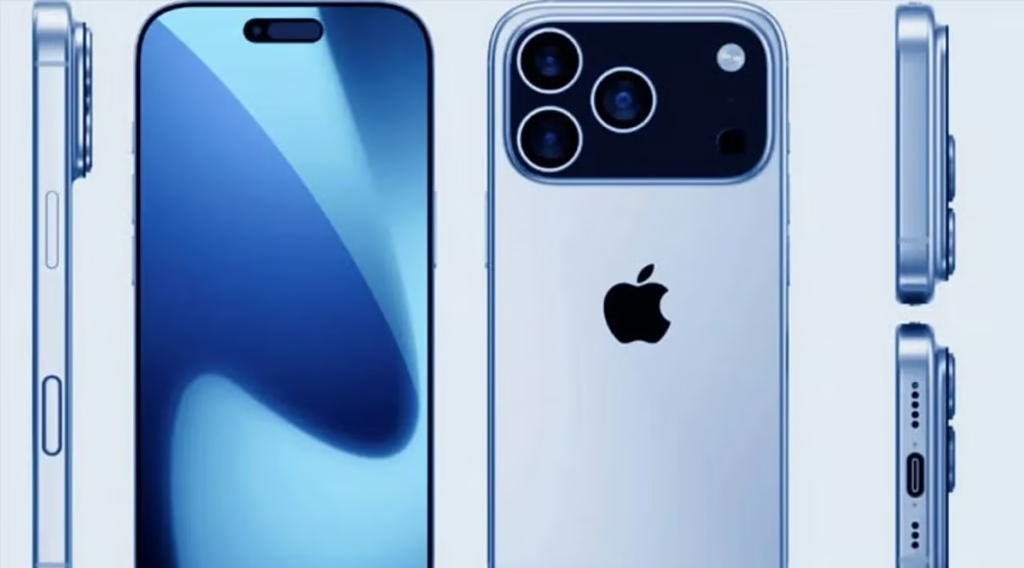
iPhone AI Camera
Apple focuses on realistic, natural, and consistent results.
- Natural skin tones that don’t look over-processed.
- Balanced HDR that keeps details in shadows and highlights at the same time.
- Consistent color and exposure across all lenses (ultra-wide, main, telephoto).
- Excellent video stabilization—walking videos look smooth and professional.
Output: Realistic, clean photos that are great for memories, printing, and long-term albums. For example, a kid’s birthday party shot on an iPhone tends to look like real life—bright, but not overly saturated, with everyone’s face clear and sharp.
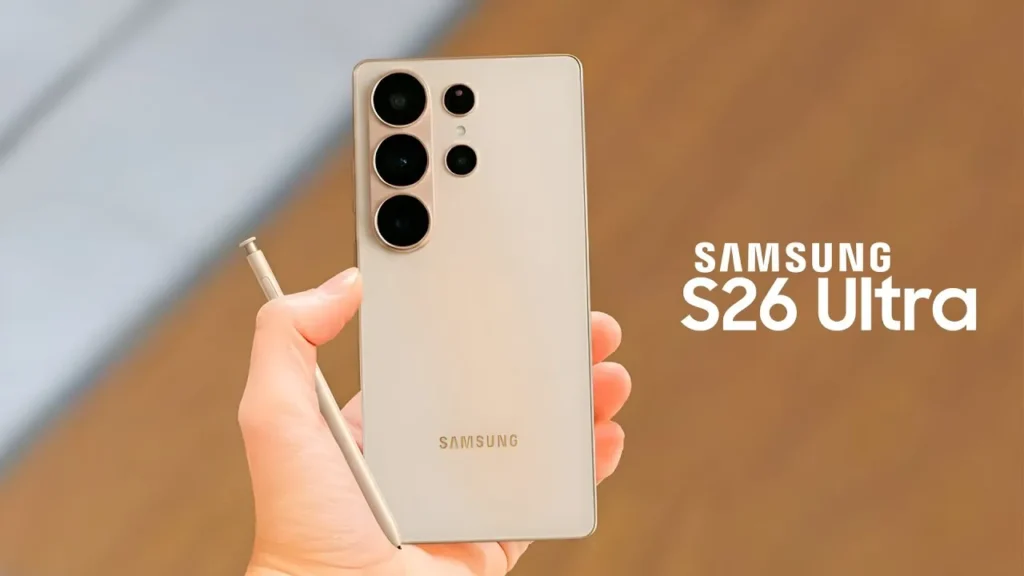
Android AI Camera
On Android flagships like Pixel and Galaxy, AI pushes creativity and “wow” effects.
- Up to 100x AI zoom on some devices, with neural networks filling in detail.
- Object eraser to remove photobombers, trash cans, or unwanted items.
- Sky replacement to turn dull, gray skies into vivid sunsets or blue skies.
- Sometimes colors are more saturated, which makes photos pop but can feel less natural.
Output: Photos that look super eye-catching and social-media ready. Vacation or travel shots often get boosted with punchy colors, clean backgrounds, and dramatic skies in just a few taps.
Both ecosystems are excellent—iPhone leans toward authenticity, while Android leans toward impact.
Productivity AI (Daily Use)
When looking at iOS vs Android AI Comparison for productivity, Android usually wins in number of tools, while iOS focuses on tight, polished experiences.
iOS AI
- Writing tools: System-level assistance to fix grammar, adjust tone (formal, casual, friendly), and shorten or expand text.
- Focus mode: Learns your usage patterns and suggests focus profiles (like Work, Sleep, Personal) based on time, location, or app usage.
- Visual Look Up: Lets you identify plants, animals, landmarks, or products from your photos and get info or links.
Android AI
- Circle to Search: Perfect for students—highlight text in a PDF or on a website and instantly get explanations, definitions, or related topics.
- Live Caption & Live Translate: Adds real-time subtitles and translations to videos, calls, and audio.
- AI note summaries: Some Android phones and apps can turn long notes or transcripts into short summaries and action items.
- Call screening and scam detection: Gemini can screen calls, flag suspicious calls, and even warn you about potential scams during a call.
Realistically, if your day is packed with meetings, calls, and content, Android gives you more AI tools to cut through the noise.
Winner: Android (more tools) – especially for heavy productivity and automation.
Privacy Comparison – Apple vs Android AI
Privacy is one of the most important parts of any iOS vs Android AI Comparison. This is where Apple stands out strongly.
iOS Privacy (Strongest in Industry)
Apple designs its systems so that sensitive data usually stays on your device.
- Default on-device processing for many AI features.
- App Tracking Transparency forces apps to ask before tracking you across other apps and sites.
- Secure Enclave protects biometric data (Face ID, Touch ID) and encryption keys in a hardware sandbox.
Third-party reviews and privacy tests regularly show that iOS collects less data by default and offers clearer controls.
Result: Almost no personal data leaves your phone unless you knowingly sync or share it. For professionals like lawyers, doctors, journalists, or anyone handling confidential work, this is a big advantage.
Android Privacy (Balanced but Risky)
Android has improved its privacy tools over the years, but its business model and ecosystem are more data-driven.
- Many AI features depend on cloud-based Gemini models.
- Google services often collect metadata and usage patterns, even if content itself is encrypted.
- Phone makers (OEMs) like Samsung, Xiaomi, etc., sometimes add their own analytics and ads on top of Google’s layer.
Android gives strong controls if you dig into settings, use privacy dashboards, and adjust your Google account options—but you usually need to take manual steps.
Result: More powerful personalization and features, but less privacy by default and more responsibility on the user to lock things down.
Winner: iOS (by a big margin) – especially out of the box, Apple is clearly better for privacy-focused users.
Battery Performance – AI Impact Test
AI can be heavy on battery, so this is a key part of any iOS vs Android AI Comparison.
Real-Life Usage Result (2026)
Based on typical 2025–2026 device behavior and tests on modern phones:
Real-world testing often finds that iPhones deliver more consistent screen-on time, especially with AI-heavy tasks like photo processing and smart suggestions. Some Android phones compensate with larger batteries, but with heavy use of cloud AI, they tend to drain faster.
👉 Reason: iOS relies heavily on local processing and tight integration between hardware and software, while Android’s cloud dependence adds network and background overhead.
👉 Winner: iOS better battery efficiency overall under AI-heavy workflows.
Real-Life Use Cases – Which One Wins?
To make this iOS vs Android AI Comparison simpler, let’s map it to real people.
Students
- Android: Circle to Search for quick research, Live Translate for language learning, live captions for online lectures, and AI note summaries make studying easier.
- iOS: Great battery through long class days, stable performance, and strong privacy for school data and personal content.
👉 Winner: Tie Android for smart study tools, iOS for stability and battery.
Professionals
- Android: Automatic meeting summaries, AI-summarized emails, call screening, and Gemini’s multi-step task automation can save serious time.
- iOS: Focus modes, consistent performance, deeper privacy, and strong integration with enterprise apps and security policies.
👉 Winner: Android if productivity automation and call handling are your main priorities.
Casual Users
- iOS: Simple, consistent interface, AI that works quietly in the background without confusing menus, better privacy by default.
- Android: More customization, AI-powered themes, and fun tools like sky replacement, object erasers, and advanced widgets.
👉 Winner: iOS for most casual users who just want things to work without tweaking settings.
Pros and Cons (Quick Summary)
Here’s a quick iOS vs Android AI Comparison recap.
iOS AI Pros
- Best-in-class privacy policies and on-device processing.
- Smooth, consistent performance with tight hardware-software integration.
- Strong battery life under everyday and AI-heavy workloads.
- Many AI features work fully offline.
iOS AI Cons
- Fewer experimental AI features compared to Android.
- Siri, even when improved, still lags behind Gemini in flexibility.
- Limited customization and openness for power users.
Android AI Pros
- The most AI features in total, especially with Gemini integration.
- Very powerful assistant capabilities and app automation.
- Fast updates to AI features through Google Play services.
- High level of customization and choice of devices.
Android AI Cons
- More privacy concerns due to heavy cloud reliance and data collection.
- Can drain battery faster with AI and background services enabled.
- Inconsistent experience across brands and models due to fragmentation.
Final Verdict – Which AI is Better in 2026?
In this iOS vs Android AI Comparison, there is no single winner for everyone. It depends on what you personally care about most.
👉 Choose iOS AI if:
- You care deeply about privacy and want your data mostly processed on your device.
- You hate charging your phone in the middle of the day and prefer strong, predictable battery life.
- You like a simple, stable experience where things “just work” without much tweaking.
👉 Choose Android AI if:
- You want the latest AI features as soon as they come out and enjoy experimenting.
- You are heavily invested in Google services like Gmail, Maps, Drive, and YouTube.
- You love customization and want more control over how your phone looks and behaves.
Both iOS and Android deliver powerful AI experiences in 2026; the right choice is the one that matches your lifestyle and priorities.
FAQ – iOS vs Android AI
Which has better AI in 2026?
In terms of raw features and flexibility, Android with Gemini leads, while iOS leads in privacy, optimization, and consistency.
Does iPhone AI work offline?
Yes, many Apple Intelligence features like photo enhancements, suggestions, and some language tools work fully offline because they rely on on-device models.
Is Google Gemini better than Siri?
Gemini is generally more advanced for complex conversations, multi-step tasks, and app control, especially on supported Android devices.
Which drains more battery?
Android AI tends to drain more battery due to cloud processing and background services, while iOS benefits from more local processing and tight optimization.
If you want, I can now help you turn this into a fully formatted blog post with meta description, SEO title, and internal heading tweaks around the focus keyword “iOS vs Android AI Comparison.”
Artificial Intelligence is rapidly changing the way we interact with technology, from enhancing productivity to automating routine tasks. For students and professionals alike, choosing the right device is crucial—whether you prefer the seamless integration of an iPhone or the versatile ecosystem of Google Android devices. For those interested in exploring how AI impacts careers, check out our in-depth analysis on how AI is replacing jobs. Meanwhile, students looking for the best performance can compare options in our guide on best laptops for students. Additionally, if you want to create high-quality content, don’t miss our comprehensive review of AI video generator tools and learn how to optimize your digital content using our Answer Engine Optimization (AEO) guide.