







Best Laptops for Students 2026: Apple MacBook vs Windows Laptops Full Comparison
Introduction
Choosing the best laptops for students 2026 can be tricky, especially with so many options between Apple MacBooks and Windows laptops. In this guide, we provide a full comparison of Apple MacBook vs Windows laptops, covering design, performance, battery life, repairability, and pricing to help students make the right choice for school, university, or professional work.
Choosing between an Apple MacBook and a Windows laptop can be challenging in 2026. Both platforms offer premium devices, advanced performance, and unique ecosystems. The Apple MacBook is known for its design, battery efficiency, and macOS ecosystem, while Windows laptops offer flexibility, repairability, and a wide range of hardware options.
This guide provides a complete comparison across specifications, performance, repairability, pricing, and user experience to help you make an informed decision.
Design & Build Quality : Best Laptops for Students 2026:
| Feature | Apple MacBook | Windows Laptops (Lenovo, Dell, HP) |
|---|---|---|
| Material | Aluminum unibody | Aluminum, Plastic, or Magnesium Alloy |
| Weight | 1.2–1.5 kg | 1–2.5 kg depending on model |
| Build Quality | Premium, durable | Varies; high-end models match MacBook |
| Colors | Silver, Space Gray | Multiple colors and customizable |
Pros & Cons – Design
Apple MacBook Pros:
- Sleek, premium design
- Lightweight and portable
- Durable aluminum chassis
Apple MacBook Cons:
- Limited color options
- Non-upgradable parts
Windows Laptop Pros:
- More variety in design
- Options for touchscreens, 2-in-1s
- Some models with rugged build
Windows Laptop Cons:
- Build quality varies by price
- Heavier in budget models
Performance & Processor
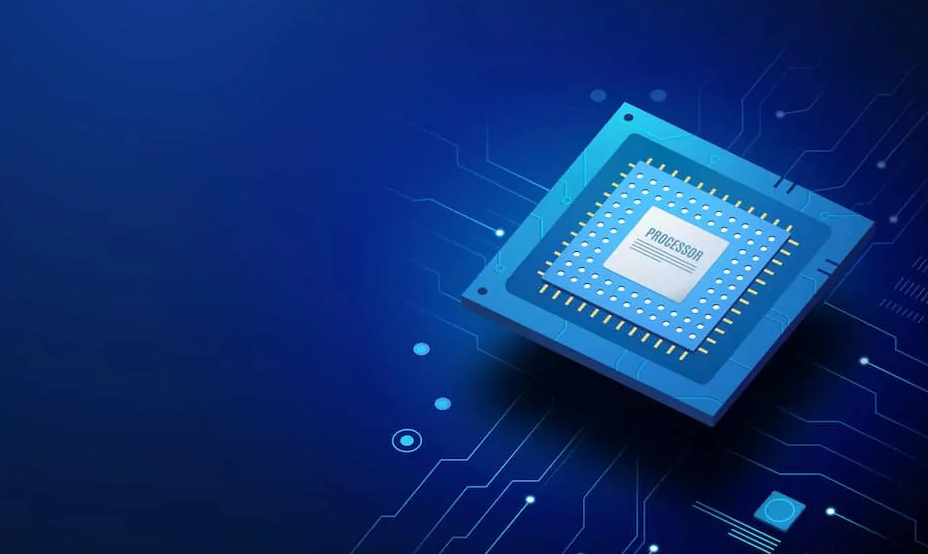
| Feature | Apple MacBook | Windows Laptops |
|---|---|---|
| Processor | Apple M-series (M2/M3) | Intel Core i5/i7/i9 or AMD Ryzen 5/7/9 |
| RAM | 8–32 GB (soldered) | 8–64 GB (upgradeable) |
| GPU | Integrated M-series GPU | Integrated or dedicated NVIDIA/AMD GPU |
| Speed & Multitasking | Excellent, energy-efficient | High performance, better for gaming and heavy tasks depending on GPU |
Pros & Cons – Performance
Apple MacBook Pros:
- Optimized macOS for Apple silicon
- Excellent battery efficiency
- Smooth multitasking for daily and creative tasks
Apple MacBook Cons:
- RAM cannot be upgraded
- Limited compatibility for some software
Windows Laptop Pros:
- Upgradeable RAM and storage
- Dedicated GPUs available
- Better for gaming and engineering software
Windows Laptop Cons:
- Battery may drain faster
- Optimization depends on hardware
Battery Life & Charging
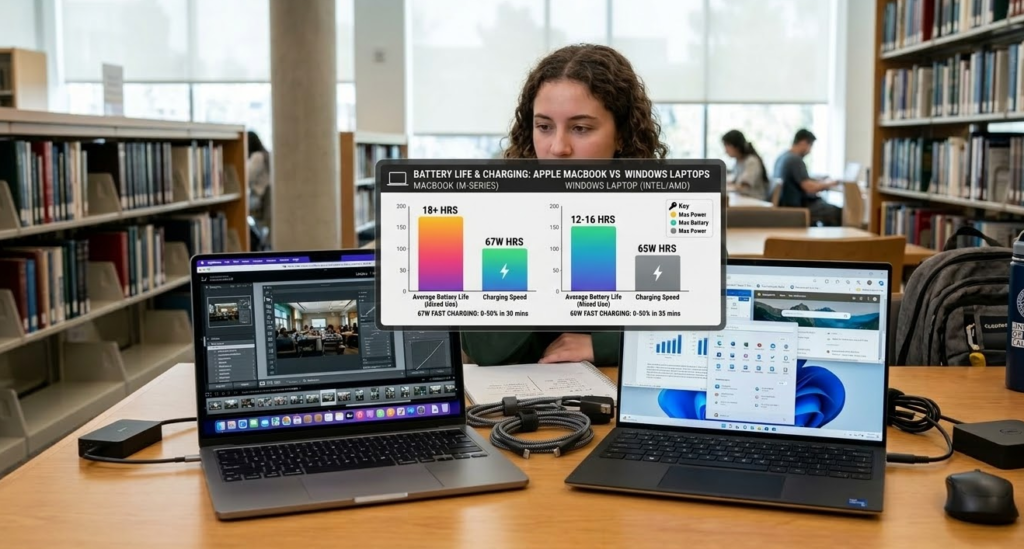
| Feature | Apple MacBook | Windows Laptops |
|---|---|---|
| Battery Life | 15–22 hours depending on model | 6–14 hours depending on model |
| Charging | Fast charging, USB-C | Varies; USB-C or proprietary chargers |
| Energy Efficiency | High efficiency | Varies; depends on CPU/GPU |
Pros & Cons – Battery
Apple MacBook Pros:
- Long-lasting battery ideal for students/professionals
- Efficient energy consumption
Apple MacBook Cons:
- Non-replaceable battery
Windows Laptop Pros:
- Removable batteries in some models
- Some ultra-portables with good battery
Windows Laptop Cons:
- Battery life inconsistent across models
Repairability & Maintenance
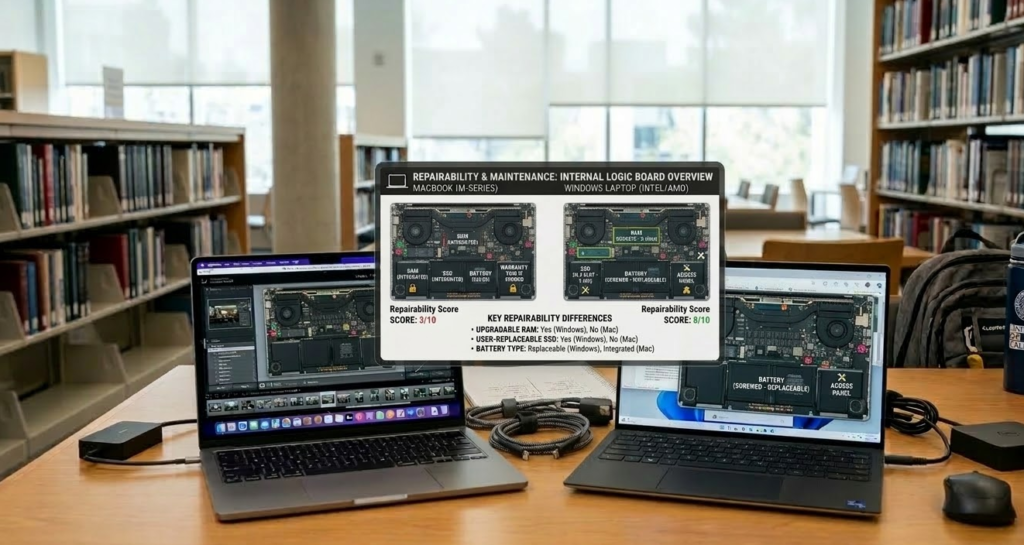
| Feature | Apple MacBook | Windows Laptops |
|---|---|---|
| Repairability Score | 6/10 (Neo) | 8–10/10 (Lenovo/Dell) |
| Component Replacement | Modular parts limited | Easy to replace RAM, storage, battery |
| User Upgrades | RAM soldered, limited upgrades | RAM and storage upgradeable in most models |
Pros & Cons – Repairability
Apple MacBook Pros:
- Screw-based Neo models easier to repair than older MacBooks
- Durable construction reduces frequent repairs
Apple MacBook Cons:
- Limited upgrade options
- Repairs often expensive
Windows Laptop Pros:
- Highly repairable and upgradeable
- Easy replacement of batteries, RAM, storage
Windows Laptop Cons:
- Repair quality varies by brand
Price Comparison
| Feature | Apple MacBook | Windows Laptops |
|---|---|---|
| Entry-Level Price | $499–$1099 (student discounts) | $300–$1500+ |
| High-End Price | $1299–$2499 | $1000–$4000 |
| Value for Money | High build quality but limited upgrades | More hardware options, better upgrades, sometimes cheaper |
Software & Ecosystem
| Feature | Apple MacBook | Windows Laptops |
|---|---|---|
| OS | macOS | Windows 11 |
| Software Availability | Optimized for macOS apps | Wide compatibility, especially enterprise and gaming |
| Ecosystem | iPhone, iPad, Apple Watch integration | Microsoft Office, Android sync, gaming platforms |
Pros & Cons – Software
Apple MacBook Pros:
- Seamless ecosystem integration
- macOS stability and security
Apple MacBook Cons:
- Limited gaming options
- Certain software only available on Windows
Windows Laptop Pros:
- Wide software compatibility
- Best for gaming, engineering, and enterprise
Windows Laptop Cons:
- OS updates can cause performance issues
- Security depends on user settings
Verdict – Which Laptop Should You Choose?
Choosing between an Apple MacBook and a Windows laptop ultimately depends on your needs, workflow, and budget. Both platforms offer powerful machines, but they serve different types of users. If you are searching for the best laptop for students, it is important to consider factors like battery life, performance, portability, and price. Understanding your daily tasks, study requirements, and software needs will help you choose the right device that supports both productivity and learning.
Apple MacBook: Best for Simplicity and Creative Work
An Apple MacBook is an excellent choice for students, creative professionals, and users who prefer a smooth and reliable computing experience. Apple’s macOS ecosystem is known for its stability, clean interface, and seamless integration with other Apple devices such as the iPhone, iPad, and AirPods.
- Long battery life that can last 15–20 hours in many modern models, making it perfect for travel or long work sessions.
- Smooth performance thanks to Apple Silicon chips that handle productivity tasks, video editing, and creative software efficiently.
- Sleek and premium design with high-quality aluminum build and lightweight portability.
- Seamless Apple ecosystem integration, allowing features like AirDrop, iMessage, and device synchronization.
- Optimized software experience because macOS is designed specifically for Apple hardware.
MacBooks are particularly popular among designers, video editors, developers, and students who want reliable performance with minimal maintenance. Their battery efficiency and build quality often make them ideal for long-term use. Many MacBooks can deliver over 15 hours of real-world battery life depending on workload. :contentReference[oaicite:0]{index=0}
Windows Laptop: Best for Flexibility and Performance Variety
Windows laptops offer a much wider range of options in terms of hardware, price, and design. From budget devices to high-end gaming machines, Windows laptops provide flexibility that suits many different types of users.
- Upgradeable hardware such as RAM and storage in many models, allowing users to extend the lifespan of their device.
- Better gaming performance thanks to powerful GPUs like NVIDIA RTX or AMD Radeon.
- Support for specialized software used in engineering, architecture, and certain professional industries.
- Budget-friendly choices ranging from affordable student laptops to premium ultrabooks.
- Flexible design options including touchscreen devices, 2-in-1 convertibles, and rugged business laptops.
Windows laptops are often preferred by gamers, engineers, developers, and users who require specific software that may not run on macOS. In addition, the ability to customize or upgrade components makes Windows laptops a practical option for long-term hardware flexibility.
Final Recommendation
If your priority is battery life, design, and a smooth user experience, a MacBook is usually the better option. It is often considered one of the best laptops for students and professionals who need reliable performance, long battery life, and a clean operating system for studying, writing, and creative work.
However, if you need hardware flexibility, gaming capability, or a wider range of price options, a Windows laptop will likely be the smarter choice. Many Windows devices are also among the best laptops for students who want affordable options, upgradeable hardware, or specialized software for engineering, programming, or design studies.
In the end, the best laptop for students in 2026 or professionals is the one that fits your workflow, software requirements, and budget. Both platforms have evolved significantly, and choosing the right one simply depends on how you plan to use your device for productivity, learning, and everyday tasks.
FAQ: Apple MacBook vs Windows Laptops – Best Laptops for Students 2026
Q1: Which is better for students, Apple MacBook or Windows laptops?
A: For students, it depends on your needs. Apple MacBooks are ideal for creative tasks, long battery life, and macOS ecosystem integration. Windows laptops offer upgradeable RAM, repairability, and a wider price range, making them flexible for any budget.
Q2: Are MacBooks more expensive than Windows laptops for students?
A: Yes, MacBooks usually have a higher starting price. However, student discounts and long-term durability make them competitive. Windows laptops provide more options at lower prices, which is helpful for budget-conscious students.
Q3: Can I upgrade RAM or storage in MacBooks and Windows laptops?
A: Most MacBooks have soldered RAM, so upgrades are limited. Some storage upgrades are possible at purchase. Windows laptops generally allow upgrades to RAM and storage, making them more repairable and customizable.
Q4: Which laptops have better battery life for school and college use?
A: Apple MacBooks offer 15–22 hours of battery life, excellent for long study sessions. Windows laptops vary, typically 6–14 hours, depending on the model and usage.
Q5: Are Apple MacBooks good for multitasking and performance-heavy tasks?
A: Yes. Apple M-series MacBooks handle multitasking, creative software, and AI-focused applications smoothly. Windows laptops can match or exceed performance if equipped with high-end CPUs and dedicated GPUs.
Q6: Which laptops are easier to repair and maintain?
A: Windows laptops generally have higher repairability scores (8–10/10) and allow easy replacement of batteries, RAM, and storage. Recent Apple models like the MacBook Neo have improved, scoring 6/10, but upgrades are limited.
Q7: How do MacBooks and Windows laptops compare for gaming?
A: Windows laptops are better for gaming due to dedicated GPUs and broader game compatibility. MacBooks are optimized for creative and academic work, not gaming.
Q8: Are MacBooks compatible with Microsoft Office and other student software?
A: Yes, macOS supports Microsoft Office, Google Workspace, and most educational software. Some specialized programs may still require Windows laptops.
Q9: What is the best choice for students on a tight budget?
A: Windows laptops offer more affordable models with upgradeable hardware. MacBooks provide value in build quality and ecosystem but may exceed tight budgets.
Q10: Where can I find more repairable and student-friendly tech gadgets?
A: For students interested in repairable tech, check our guide on Most Repairable Tech Gadgets of 2026 to discover laptops, smartphones, and devices that are easy to maintain.
If you are interested in learning more about the latest technology, AI tools, and gadget reviews, you can explore more helpful guides on our website. At GenZeBlog, we regularly publish detailed articles about AI, productivity tools, and the newest tech trends to help students, professionals, and beginners stay updated.
For example, if you want to start earning online using artificial intelligence, check out our complete guide How to Make Money With AI Tools in 2026 .
Students who want to improve their productivity and research work can also read our detailed list of Best Free AI Tools for Students in 2026 .
If you are interested in sustainable technology and gadgets that are easy to repair, we recommend reading Most Repairable Tech Gadgets of 2026 .
You can also check our detailed laptop review Apple MacBook Neo Review – Features, Performance & Price .
For more guides, reviews, and tech updates, visit our main website: https://genzeblog.com/